chmln/sd: Intuitive find & replace CLI (sed alternative)
Intuitive find & replace CLI (sed alternative).
Intuitive find & replace CLI (sed alternative).

Simply put, system calls are the primary way that programs interface with the operating system. Contact Sysdig for more information.
A simple, fast and user-friendly alternative to 'find' - sharkdp/fd

Digging up some useful and not so popular commands in Linux
A TUI system monitor written in Rust.

Linux wget command examples: Learn how to use the wget command under UNIX / Linux / MacOS/ OS X / BSD operating systems.

Variables · Functions · Interpolation · Brace expansions · Loops · Conditional execution · Command substitution · One-page guide to Bash scripting

The sudo command allows you to run programs as another user, by default the root user.
Get more efficient by using condensed versions of long Bash commands.

Here are some commands to help me with my work. And what are your useful commands that you use? Sea...
Shell is the essential tool for every programmer. The more familiar you become with the available too...

If you're on a Unix system you probably have to constantly interact with the terminal, one way or ano...

I write a letter to my past self about the Shell's importance I wish I'd focused on earlier in my career.

Update 25 Sep 2019: This article is now available in Japanese, thanks to the hard work of ラナ・クアール....

Learn how to show all running processes in Linux and get a snapshot of the current processes on any Linux distribution using the cli tools.
Using the PostgreSQL database with Linux. This tutorial also covers some of the pitfalls users may experience.
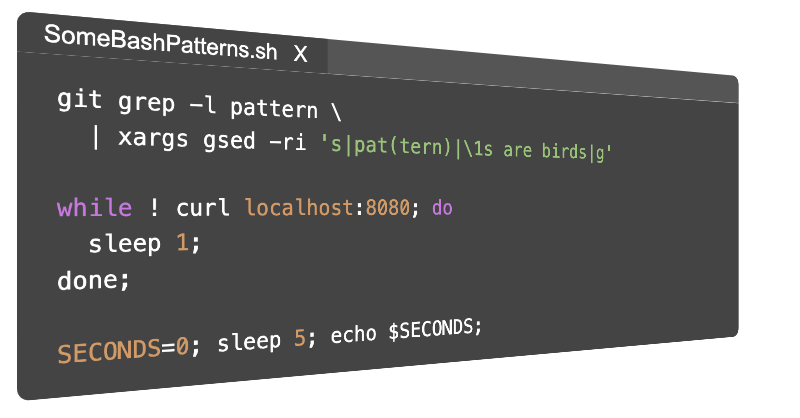
5 bash tricks I find myself using often that I wish I'd discovered sooner.

Explains how to compress the whole directory using xz and tar on Linux, macOS, and Unix-like systems to get maximum compression.
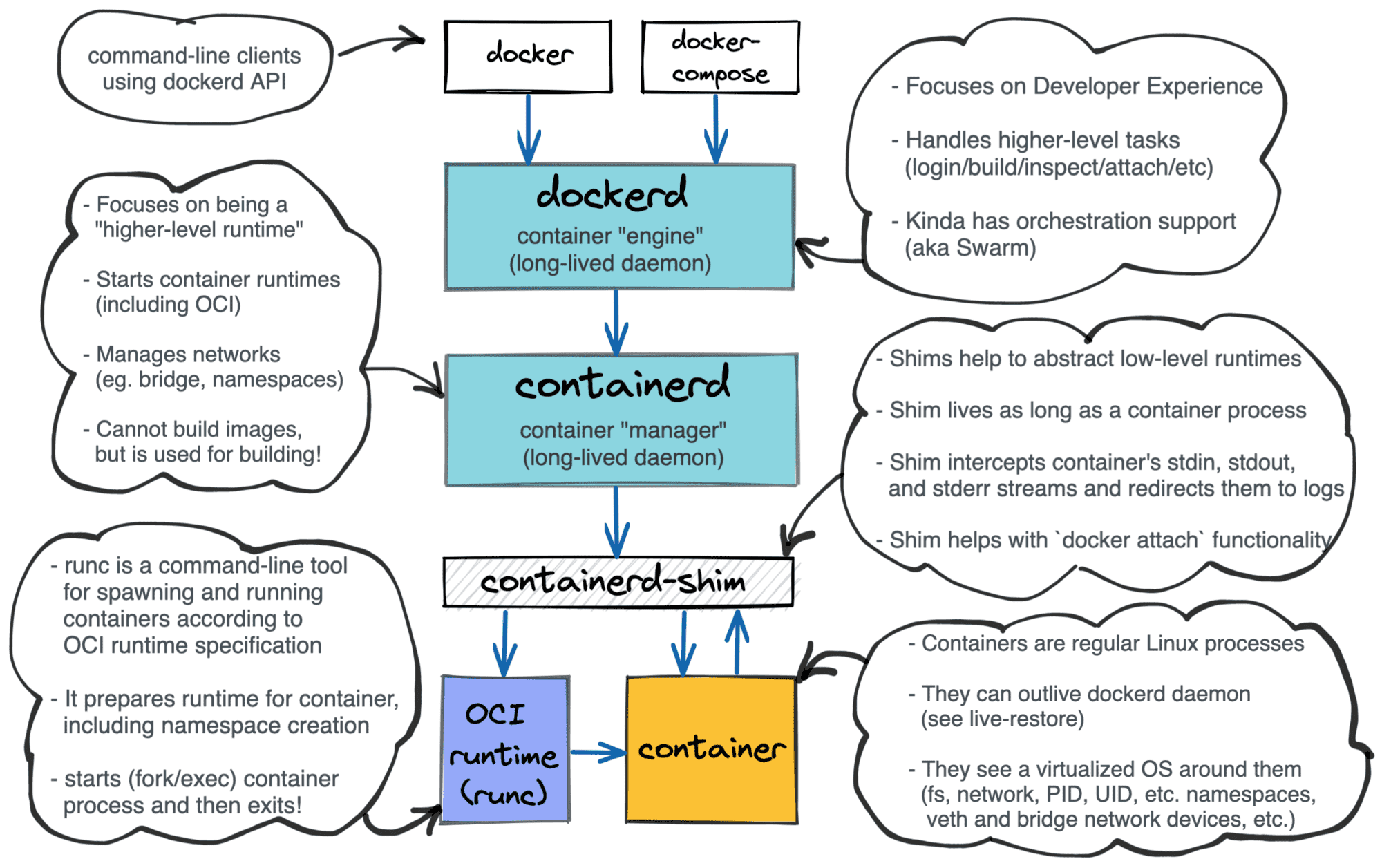
What is a Container? Container vs. VM? Docker vs. Kubernetes. How to organize the learning efficiently?
— Oste (@oste_ke)

Learn the super powerful and super useful find command with these practical examples.

In this post, you will learn some cool command line tricks which can help you to speed up your day-to-day R&D.

The seemingly insignificant #! characters at the beginning of a shell script has a major significance on how your script will be executed.

You might have used variables in Bash before, but probably not like this.

Learn to process thousands of items reliably and repeatably in this installment.

While dealing with big genetic data sets I often got stuck with limitation of programming languages in terms of reading big files. Also so...

Most of us use love and use the jq command. It works on Linux or Unix-like systems to extract data from JSON documents. Recently I found htmlq, which is like jq and written in Rust lang. Imagine being able to sed or grep for HTML data. We can search, slice, and filter HTML data…

Hi everyone! Welcome to my first article on DEV :) Today I will be doing a better overview of some...
The .bash_logout file is the individual login shell cleanup file. It is executed when a login shell exits. This file exists in the user's home directory. For example, $HOME/.bash_logout. This file is useful if you want to run task or another script or command automatically at…

1. Kali Linux Kali Linux is the most used Ethical Hacking distro available, it is provided with...

ifconfig is a network management tool, used to configure and view the status of the network interfaces in Linux

Hi There! I was working on few network side commands. I thought to share this with you all😃. Here you...

In this post, I try to explore various ways to repeat a character and string in Bash 'n' times that must run on macOS/FreeBSD and Linux.
Commandline one liners that makes your workflow more productive
Linux Documentation Project Works

The grep utility searches any given input files, selecting lines that match one or more patterns. By...